Proton VPN explained: strengths, limits, and fit
A practical Proton VPN overview covering its documented privacy model, free and paid plans, useful features, limits, and a clear commercial disclosure.
Harllens George | 2026-07-13
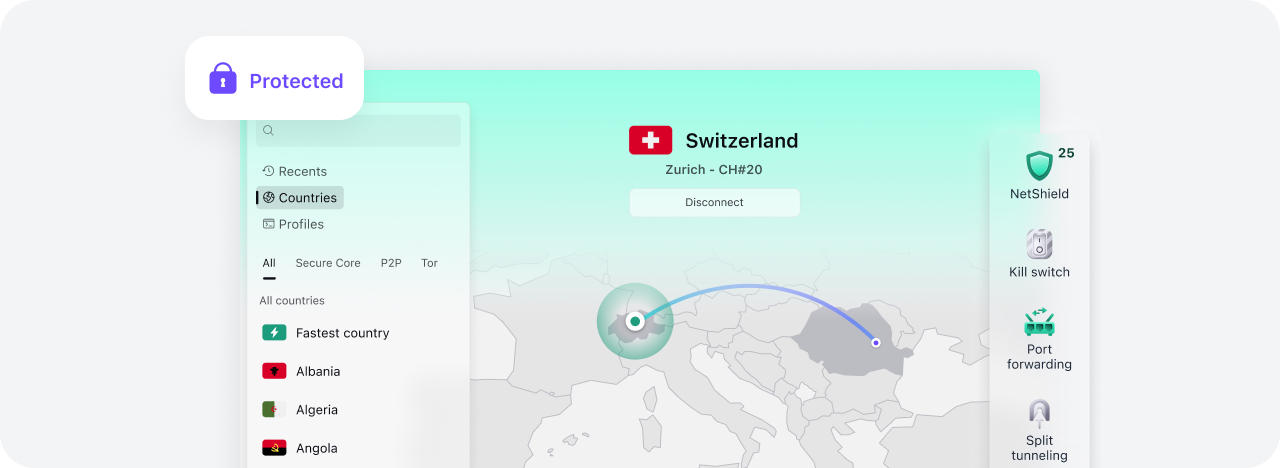
Proton VPN is the VPN service I know best because I have used Proton for years. That experience helps me describe day-to-day use, but it does not prove every security, privacy, speed, or availability claim.
Advertisement / affiliate disclosure: I participate in the Proton Partners Program. If you subscribe through the clearly marked Proton link in this article, I may receive a commission. I have used Proton for years. Proton did not control, approve, or pay for this independent guide.
This page is a factual provider overview, not a scored performance review. Product features and plans change, so use the linked Proton documentation to confirm details before subscribing.
The source links and feature descriptions on this page were checked on 15 July 2026.
What Proton VPN changes
Like other VPN services, Proton VPN creates an encrypted tunnel from a supported device to a VPN server. Websites reached through that tunnel normally see the VPN server's public IP instead of the connection's original public IP.
That change can reduce direct IP exposure to websites and protect traffic between the device and VPN server on an untrusted local network. It also moves part of the trust relationship to Proton. A VPN provider can technically occupy a privileged position in the route, which makes policy, implementation, audits, and ownership relevant.
Read what a VPN changes about your public IP for the network model and a simple before-and-after check.
Documented strengths worth examining
Published no-logs position and audits
Proton states that it does not keep session activity logs such as visited websites, traffic content, user IP addresses, or session duration. Proton also publishes reports about external no-logs audits.
Those reports provide more evidence than an unsupported marketing statement, but you still need to read the report scope and date. An audit covers defined systems and a defined period. It does not eliminate the need to assess later product changes or your own threat model.
Open-source applications
Proton publishes source code for its VPN applications and links to independent application audits. Open source lets researchers inspect client behavior and gives users a way to verify more than a closed binary alone would reveal.
Open-source clients do not expose every server-side control. Treat them as one transparency signal alongside infrastructure audits, policies, legal jurisdiction, and incident handling.
A usable free plan
Proton documents a free plan with no data limit. The free tier has fewer location and feature choices than paid plans, so compare the current plan table rather than relying on an old review.
The free plan provides a low-commitment way to test application compatibility and the basic network change. It does not remove the need to read the privacy policy or check whether your required device and feature are supported.
Secure Core
Secure Core routes traffic through more than one Proton-operated location before it exits to the destination. Proton positions this as an extra layer for users concerned about attacks against an exit location.
The additional route can increase latency. It is a targeted feature, not a universal requirement for ordinary browsing, and it does not make account activity anonymous.
NetShield
NetShield uses DNS filtering on Proton's VPN infrastructure to block domains associated with malware, ads, or trackers based on the selected setting. Proton documents NetShield as a paid-plan feature and lists platform-specific behavior and limits.
DNS filtering cannot inspect every threat or replace browser controls, endpoint protection, software updates, or careful downloads. Some ads come from the same domain as desired content and may not be blocked by a domain-level filter.
Limits to keep in view
A VPN does not make you anonymous by itself
Websites can identify you through accounts, cookies, payment details, browser characteristics, and information you submit. A VPN changes the network route and public IP seen for covered traffic. It does not erase the rest of your identity.
Speed and access vary
Performance depends on distance, server load, protocol, device, internet provider, and time of day. Streaming or service access can change when a platform blocks an exit address. A one-time test does not establish a permanent result.
I am not publishing a speed ranking here because the current article does not include a reproducible, multi-location benchmark.
Platform behavior differs
Kill switch, split tunneling, IPv6 support, protocol choice, and NetShield behavior can differ by operating system and application version. Read the current support page for the device you use.
Prices and renewals change
Promotional prices can differ from renewal prices, billing periods, taxes, and regional offers. Check the checkout summary and the current pricing page. This article intentionally avoids a fixed price that could become misleading.
Who may find it a fit
Proton VPN may suit someone who values published source code, public audit material, a no-data-limit free option, and privacy-focused features in one service. The fit becomes weaker if your required platform lacks a needed feature, the nearest available route performs poorly, or your threat model calls for Tor or a separate operating environment.
Use this short evaluation before choosing:
- Define what you want the VPN to protect and what it cannot protect.
- Check the current app and feature support for every device you will use.
- Read the no-logs page, privacy policy, and latest audit scope.
- Test your normal sites and calls on the free plan where possible.
- Compare the full billing period and renewal amount before paying.
- Recheck your public IP after connecting.
Check the connection
Open My IP Address before connecting and again after Proton VPN connects. A changed IP and network result shows that the browser request used a different public route.
That check does not validate every application, DNS path, or IPv4 and IPv6 scenario. Use Proton's platform-specific leak-protection documentation when the distinction matters.
Original connection test
On 15 July 2026, the owner ran a before-and-after check on macOS with Proton VPN 6.5.1 (3106797.2605011144). The test connected through Germany Secure Core and refreshed My IP Address before and after the connection.
The site returned IPv4 in both checks and showed a different public IPv4 address after Proton VPN connected. No connection issue was observed during this check. The full addresses are intentionally not retained in the repository because they identify network connections at a point in time.
This is one practical routing check, not a speed benchmark, security audit, DNS leak test, or guarantee for every device and network. It confirms only that the tested browser request used a different public IPv4 route after the VPN connected.
If Proton VPN fits your needs
Review the current plan, billing period, renewal amount, and device support on Proton's website before subscribing. This guide intentionally does not repeat a temporary discount or fixed price.
Advertisement / affiliate disclosure: If you subscribe through the link below, I may receive a commission. I have used Proton for years, and Proton did not control this guide or the test above.
Related guides
The commercial Proton link is marked as sponsored and nofollow. The other source and support links are ordinary editorial references.