Copilot Studio Customer Conversation: Preview Guide
Plan a Copilot Studio Customer Conversation testing harness pilot with synthetic data, channel checks, speech limits, human handoff, and current preview and billing caveats.
Harllens George de la Cruz | Published: 2026-11-11 | Updated: 2026-11-11
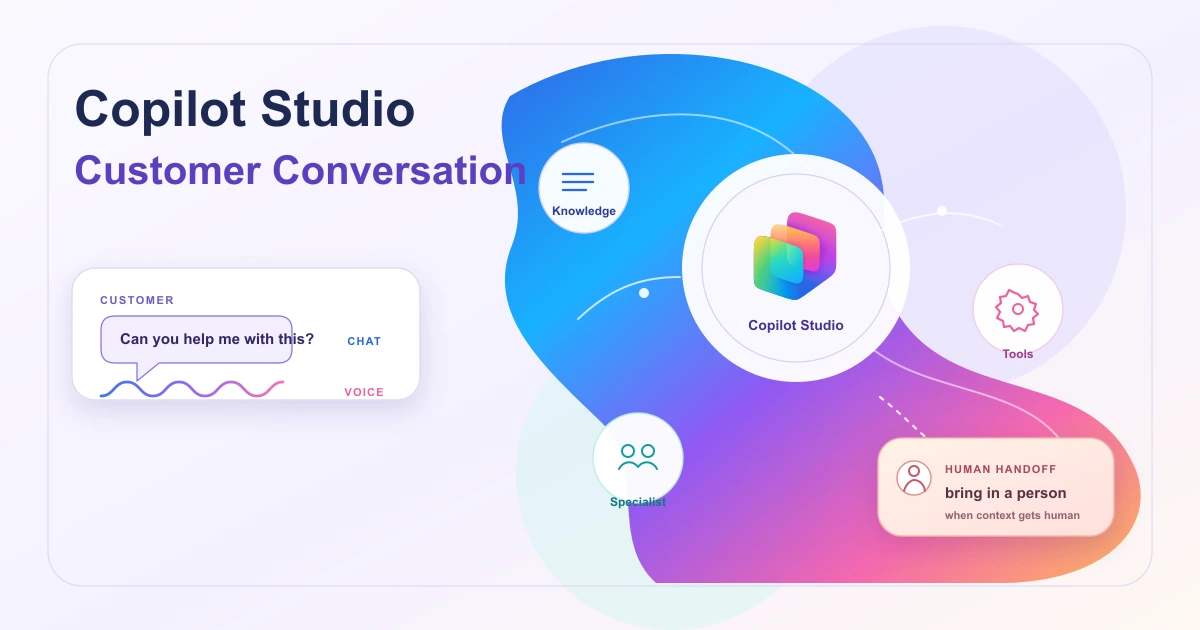
The Customer Conversation testing harness in Copilot Studio builds customer-facing voice and chat agents around a primary agent, specialist agents, knowledge, tools, and escalation paths. Microsoft labels the experience preview and says its prerelease documentation can change. This guide uses a synthetic support scenario to show how to test a customer journey without mistaking a demo channel for production readiness.
What the harness is
The Customer Conversation harness is designed for customer questions that need consistent handling across defined topics while still allowing natural-language dialogue. A primary agent can coordinate specialist sub-agents, connected agents, knowledge sources, tools, skills, and handoff paths. The product's customer-facing agent is called a Customer Assist Agent. The documented build surface includes Build, Preview, Evaluate, Deploy, and Monitor tabs. Microsoft's overview describes the architecture and current lifecycle.
This is an orchestration surface, not a guarantee that every connected system or customer-service policy is already wired for you. You still decide what the agent may answer, which tools it can call, what requires confirmation, and when a person takes over.
Who this is for
- Customer-support and contact-center teams evaluating a voice-and-chat agent.
- Copilot Studio makers who need specialist routing, business knowledge, and a human escalation path.
- Platform owners who can verify tenant licensing, channel access, environment setup, and monitoring responsibilities.
Availability and boundaries
The Microsoft Learn overview and deployment article are marked preview and say prerelease details can change. They don't establish that every channel is available in every region or tenant; check the current Copilot Studio experience, regional guidance, licensing, admin policies, and channel prerequisites in the target environment.
Important design constraints include:
- Speech knowledge access differs from chat. Speech channels do not support end-user sign-in. A knowledge source that requires credentials from the customer works only for chat conversations, so do not assume that a voice caller can read the same protected data as an authenticated web-chat user.
- The generated demo website is for internal testing. Publishing creates a prebuilt demo site, but Microsoft says not to share its URL with customers. Configure a live website channel separately when the agent is ready for production.
- Teams Phone has extra prerequisites. The deployment guide lists Copilot Studio tenant and user licenses plus Teams Phone licenses. A Teams admin must provision a number and assign a license, and administrators can disable the Teams Phone channel.
- Contact-center handoff is a multi-role setup. Connecting a channel in Copilot Studio is only part of a Dynamics 365 Contact Center configuration. Web chat and Teams Phone may require distinct follow-up work by a contact-center administrator, including workstreams, queues, resource-account linking, and end-to-end tests.
- Usage consumes Copilot Credits. The preview overview warns that using, building, testing, and evaluating agents might consume credits. The dedicated cost guidance says customer conversations consume credits based on complexity and modality, and that this usage isn't covered by a Microsoft 365 Copilot license. Digital, GenAI voice, and premium voice have different rates; voice biometrics add credits. Check the current estimator and environment capacity before a broad test campaign.
See Deploy an agent (Customer Conversation) and Overview of usage-based billing for the current channel and billing details.
A practical architecture
Keep the first version narrow. Give the primary agent a clear role and boundaries, connect only the knowledge and actions needed for one support journey, and add specialist agents only when their responsibilities are distinct. Define escalation as a normal outcome, not as an exception that the agent tries to avoid.
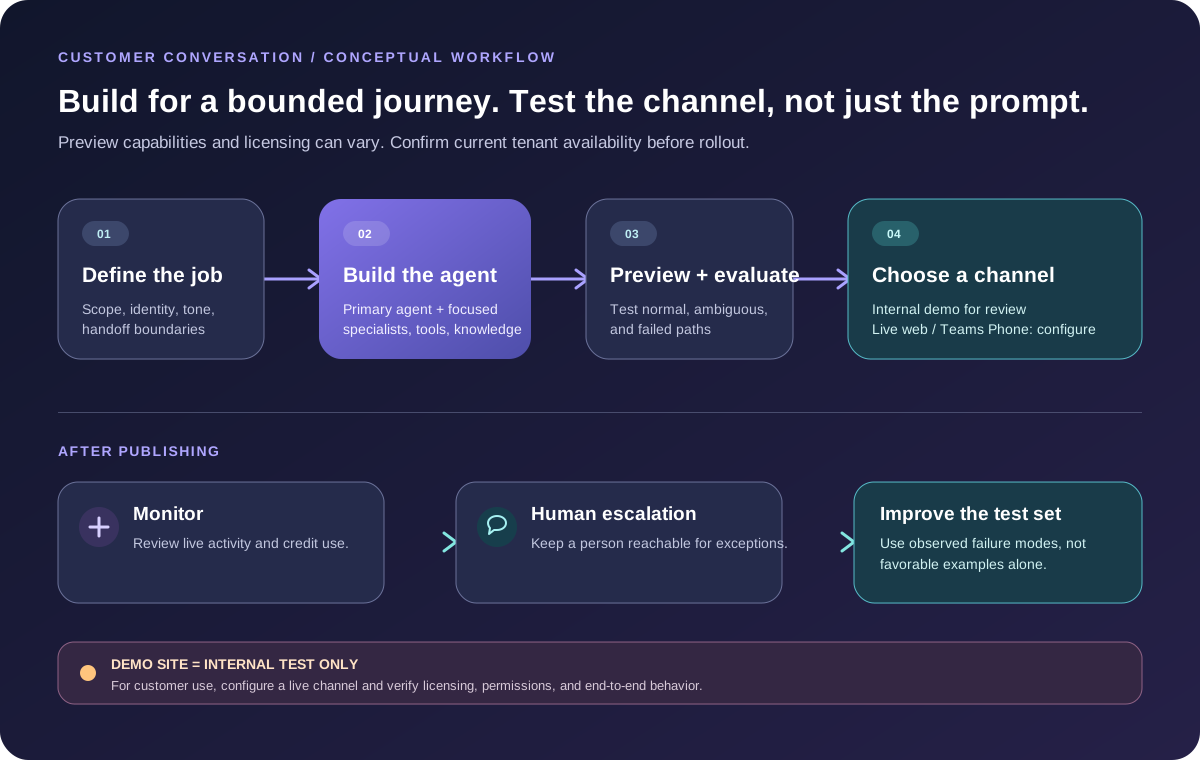
For a first pilot, separate the pieces this way:
- Primary agent: state the supported topics, tone, authentication expectations, and conditions for handing off.
- Knowledge: use approved, current support content. Test questions that are missing, contradictory, or outside the published policy.
- Tools and skills: expose only the operations needed for the pilot. Start with read-only lookups where possible. Put confirmation and authorization checks around actions that change an order, account, or case.
- Specialists: route a distinct intent, such as delivery status, to a focused sub-agent. Use a connected agent when its configuration and lifecycle need to remain independent and reusable.
- Evaluation and operations: create a test set before the first release, then review live and recent conversation activity in Monitor.
Synthetic worked example: a damaged delivery
Assume a fictional retailer named Northstar Housewares. A synthetic customer says: “Order NH-1042 arrived with a cracked kettle lid. Can you send a replacement?” The order number, policy, tools, and result below are illustrative only; they do not describe a real store or a built-in Microsoft workflow.
A bounded flow could work like this:
- The primary agent identifies a damaged-item request and asks only for the missing information needed by the retailer's process. The web chat is already authenticated; a voice flow would need a separate identity approach because speech knowledge sources cannot use end-user sign-in.
- A read-only order lookup checks the synthetic order and returns
delivered,item: kettle, andwithin_claim_window: true. - A damage-policy knowledge entry explains what evidence is required. A focused returns specialist summarizes the next step, but it does not make an unsupported promise or issue a replacement.
- The agent tells the customer what it found, asks for confirmation before submitting a replacement request, and hands off if the order is missing, the policy does not match, the customer disputes the result, or an integration fails.
- The action tool validates the order and authorization again on the server. The agent's conversational answer is not the authorization boundary.
Use a test set with at least one eligible replacement, one request outside the claim window, one missing order number, one failed lookup, one ambiguous policy question, and one explicit request for a person. Check that the agent asks a useful follow-up or escalates instead of inventing an order state. Run the same cases in the Preview and Evaluate surfaces before sharing the internal demo website with reviewers.
Build, test, and deploy
- Confirm that your tenant exposes the Customer Conversation experience and that the owner for each required channel is known.
- Write the primary agent's scope and out-of-scope behaviors first. Add modality-specific instructions carefully, since speech and chat have different identity constraints.
- Add the smallest useful knowledge set and one read-only integration. Use synthetic records while shaping prompts, tools, and evaluation cases.
- Add a specialist only for a clearly bounded intent. Document its inputs, outputs, escalation behavior, and any tools it can call.
- Exercise normal, incomplete, contradictory, unsupported, and failure cases in Preview. Use Evaluate test sets to measure changes instead of relying on a few favorable conversations.
- Publish to create the internal demo website, then test that demo with teammates. Do not expose its URL to customers.
- For a live website, configure the Web chat channel and test the copied embed in the real target page. For Teams Phone or Dynamics 365 Contact Center, coordinate the required admin work and verify calls and handoff end to end.
- Monitor conversations and credit use after deployment. Keep a human fallback and a rollback path while the experience is in preview.
Cost and operations
Customer Conversation usage is metered through Copilot Credits, and the preview overview warns that building, testing, and evaluating agents might consume them. Microsoft's published pay-as-you-go Copilot Credit meter is USD $0.01 per credit, but actual use varies with the workload, modality, prepaid capacity, billing agreement, and any voice features. Do not infer coverage from a Microsoft 365 Copilot license alone; confirm the current licensing and billing terms for the target tenant. Use the current Copilot Credits estimator and review Power Platform admin center limits with the capacity owner.
Common mistakes to avoid
- Treating the internal demo URL as a customer-ready production site.
- Assuming web-chat sign-in or access to protected knowledge carries over to speech.
- Giving every specialist the same broad tools and unclear ownership.
- Letting an agent perform a consequential action without server-side validation, customer confirmation where appropriate, and a tested failure route.
- Treating one successful Preview conversation as a quality evaluation or proof of channel readiness.
- Forgetting that Teams Phone licenses, admin configuration, and channel policy can be separate from the maker's setup.
- Estimating cost from a short text chat when the intended workload includes long conversations or voice.
Next steps
Choose one customer journey with a measurable success condition, such as correctly finding an order or routing a damaged-item request. Build it with synthetic data, write the failure and handoff cases before connecting production systems, and review the current preview, licensing, and credit guidance with your platform administrator.
Conclusion
The Copilot Studio Customer Conversation testing harness can organize a customer-support journey across agents, knowledge, tools, voice or chat channels, evaluation, monitoring, and human escalation. Its preview status, channel prerequisites, speech identity limits, and credit model should shape the pilot from the beginning. Start small, test the whole channel, and keep the internal demo separate from customer production.
Sources
- Agents powered by the Customer Conversation harness overview (preview)
- Deploy an agent (Customer Conversation) (preview)
- Manage costs for agents powered by the Customer Conversation harness
- Copilot Studio billing and licensing FAQ
- Copilot Credits Licensing Guide
Related reading
- Copilot Studio Hooks (Preview): Events and Limits
- Canvas apps with AI agents: a coauthoring review checklist
Editorial note: This AI-assisted guide uses a fictional support scenario. No Copilot Studio tenant, customer channel, or contact-center integration was accessed or tested.