Codex Thread Renamer Patcher for VS Code
Practical guide for patching the OpenAI ChatGPT/Codex VS Code extension so Codex thread renames persist and update the UI immediately.
Harllens George | 2026-02-23
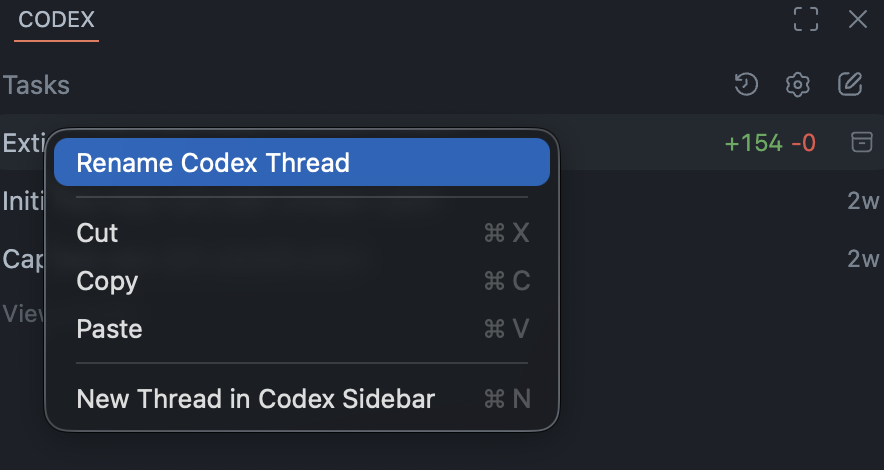
codex-thread-renamer-patcher is a local patcher for the OpenAI ChatGPT/Codex VS Code extension. It adds a reliable rename flow so Codex thread titles persist, patch cached values, and refresh in the sidebar without waiting for a restart.
What this is
This is a developer tool for people using OpenAI Codex in VS Code who want thread names that actually stick.
It patches the installed openai.chatgpt extension locally and adds:
- a
Rename Codex Threadcommand - a right click rename action in the thread list
- backend plus cache updates for better persistence
- immediate UI refresh through the existing webview message flow
Who it is for
- Developers using Codex heavily in VS Code sessions
- Builders managing many threads and wanting readable thread history
- Teams testing local productivity tooling around OpenAI Codex workflows
Get it
- GitHub repository: Just-Boring-Cat/codex-thread-renamer
Compatibility
- VS Code with the OpenAI ChatGPT/Codex extension (
openai.chatgpt) - Node.js installed locally
sqlite3CLI available inPATH- Best used with extension versions verified by the patcher before applying
Why this patcher exists
Renaming a Codex thread is not only a UI problem. In practice, titles can be stored and rehydrated from multiple places. A simple database edit often fails because the running extension or cached state can overwrite the title again.
This patcher makes rename work as an action, not a one off file edit.
How it works (high level)
The patcher makes a minimal modification to the installed extension and keeps most custom logic in injected helper files.
It patches these areas:
package.jsonto contribute the rename command and menu entriesout/extension.jsto load the runtime patchwebview/index.htmlto inject the webview helper
The runtime patch then does three layers of work:
- backend rename (source of truth)
- cache patching (workspace and extension caches)
- live webview update (
thread-title-updated)
Quick start
1) Check patch status
node bin/codex-thread-renamer-patch.js status
2) Verify compatibility
node bin/codex-thread-renamer-patch.js verify
3) Apply the patch
node bin/codex-thread-renamer-patch.js apply
4) Reload VS Code
Developer: Restart Extension Host, or- reload the VS Code window
Screenshots
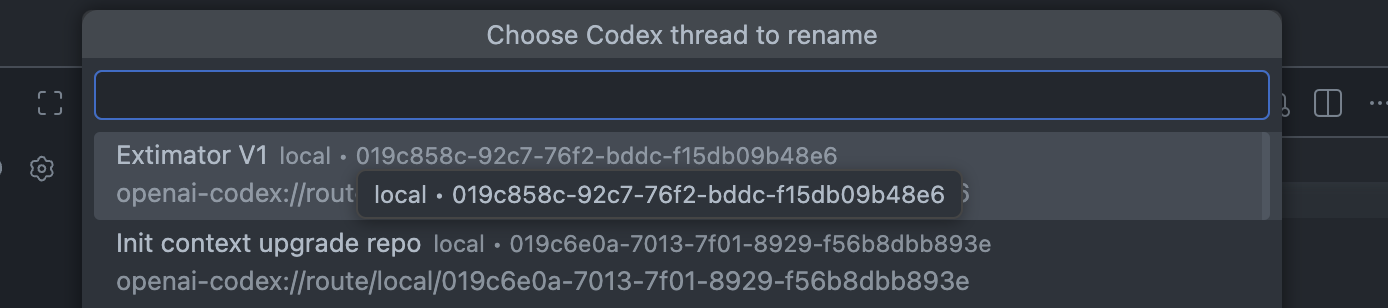
Choose a thread to rename
Troubleshooting (fast)
- Command appears but fails: restart the Extension Host or reload VS Code.
- Rename persists but UI does not update: reopen the Codex sidebar, switch threads, and switch back.
- Patch verification fails: your
openai.chatgptversion likely changed, runverifyand patch the correct extension directory. - Patched wrong extension folder: use
--extension-dirto target the active extension build.
Safety notes
This tool modifies installed VS Code extension files on disk.
- Reapply after OpenAI extension updates.
- Run
verifybeforeapplywhen versions change. - Keep backups enabled and restore if you test unsupported builds.
Links
- GitHub repository: Just-Boring-Cat/codex-thread-renamer
- Source docs (technical details and troubleshooting) are included in the repository
docs/folder.