Azure Content Understanding Prebuilt Analyzers
Choose Azure Content Understanding analyzers for OCR, layout, RAG, invoice fields, media search, or schema discovery.
Harllens George | 2026-10-26
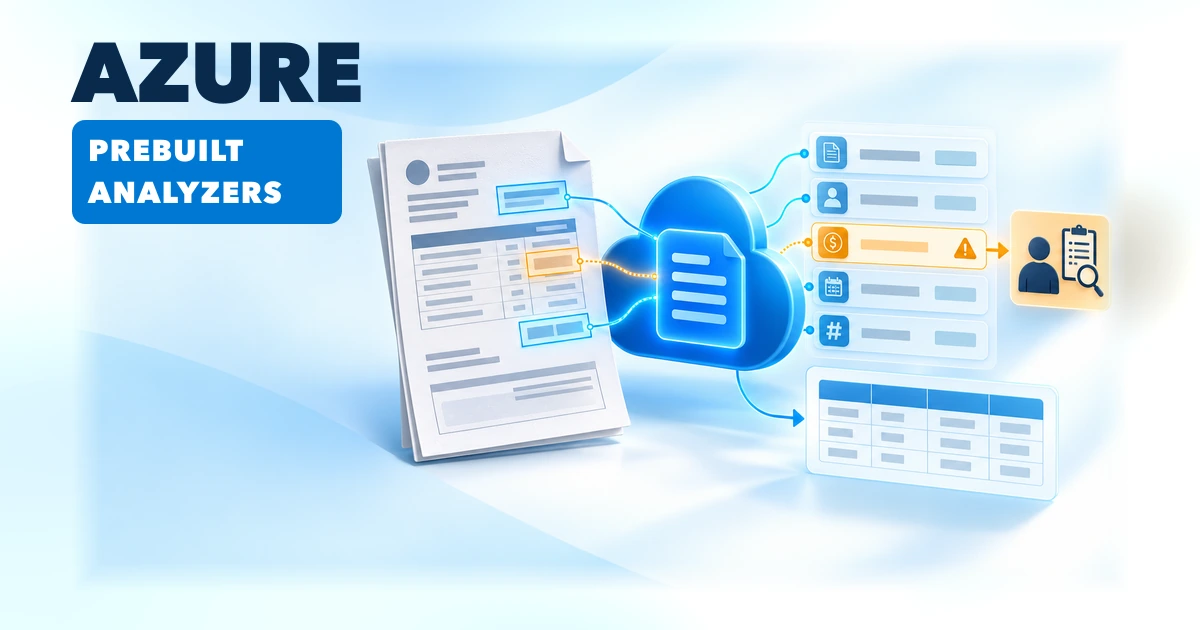
Azure Content Understanding in Foundry Tools provides prebuilt analyzers for documents and other media. Choose one by the output you need: text, document structure, search-ready content, or fields from a known document type. Microsoft's documentation currently lists the service as generally available through API version 2025-11-01.
API version 2026-06-01-preview adds agentic document analysis and synchronous Read/Layout operations. Microsoft provides no service-level agreement for that preview and does not recommend it for production workloads.
Choose by the output you need
| Need | Starting point | What it is for |
|---|---|---|
| Read text from scanned or image-based documents | prebuilt-read |
Basic OCR and text extraction without layout analysis. |
| Preserve sections, tables, figures, or reading order | prebuilt-layout |
Document structure and layout elements; useful when downstream logic needs more than a text string. |
| Parse machine-readable office or PDF content | prebuilt-digitalParse |
Reads a document's internal structure; use Read or Layout for scanned or image-based input. |
| Ingest documents for search or RAG | prebuilt-documentSearch |
Produces structured Markdown, summaries, figure descriptions, and chunks intended for search pipelines. |
| Extract familiar business fields | prebuilt-invoice, prebuilt-receipt, prebuilt-idDocument, and other domain analyzers |
Use a domain-specific schema when the document type and required fields fit. |
| Describe media for search | prebuilt-imageSearch, prebuilt-audioSearch, or prebuilt-videoSearch |
Generate descriptions, summaries, transcripts, or segments for the corresponding media type. |
| Discover fields in an unfamiliar document | prebuilt-documentFieldSchema |
Propose a field schema; use prebuilt-documentFields for key-value extraction. |
For example, Microsoft's current documentation lists prebuilt-invoice for invoices, utility bills, sales orders, and purchase orders. It is not a general promise that every supplier's layout or every accounting rule will be interpreted correctly. Compare its schema with your downstream contract before building an integration around it.
Run an invoice analyzer with the Python SDK
Create a Microsoft Foundry resource in a supported region, configure model deployment defaults for the selected analyzer where required, and install the official Python client. The GA client libraries target API 2025-11-01; the SDK's long-running-operation poller handles the analyze wait loop.
pip install azure-ai-contentunderstanding
export CONTENTUNDERSTANDING_ENDPOINT="https://<resource>.services.ai.azure.com/"
export CONTENTUNDERSTANDING_KEY="<key-from-your-secret-store>"
The following follows Microsoft's invoice quickstart. Keep credentials in environment or managed identity configuration rather than source code:
import os

from azure.ai.contentunderstanding import ContentUnderstandingClient
from azure.ai.contentunderstanding.models import AnalysisInput
from azure.core.credentials import AzureKeyCredential

client = ContentUnderstandingClient(
    endpoint=os.environ["CONTENTUNDERSTANDING_ENDPOINT"],
    credential=AzureKeyCredential(os.environ["CONTENTUNDERSTANDING_KEY"]),
)

invoice_url = "https://raw.githubusercontent.com/Azure-Samples/azure-ai-content-understanding-assets/main/document/invoice.pdf"
poller = client.begin_analyze(
    analyzer_id="prebuilt-invoice",
    inputs=[AnalysisInput(url=invoice_url)],
)
result = poller.result()

if not result.contents:
    raise RuntimeError("The analyzer returned no document content")

fields = result.contents[0].fields or {}
customer = fields.get("CustomerName")
if customer:
    print(customer.value, customer.confidence, customer.source)
The analyzer returns structured fields, not an approved accounting transaction. Microsoft's Python sample exposes each field's value, confidence, source, and spans. Those details help a reviewer trace a result to the document; they do not approve a transaction. Set thresholds against representative labeled data and measure false accepts as well as the volume sent for manual review.
Put a review gate between extraction and action
A practical accounts-payable workflow can use prebuilt-invoice to populate a staging record, then apply ordinary business checks before posting:
- Store the original document under an access-controlled identifier and submit the staged file or a short-lived URL.
- Run the analyzer and retain its output, source reference, analyzer ID, API version, and usage values with the processing record.
- Reconcile vendor identity, currency, totals, purchase-order match, and required fields with authoritative business data.
- Route missing fields, low-confidence values, mismatched totals, and unfamiliar layouts to a reviewer. Make the reviewer correct the source value, not just approve a generated summary.
- Only then pass validated values to the accounting system. Do not authorize payment from model output alone.
Confidence scores do not guarantee correctness. Use a representative labeled test set to choose thresholds and retain source grounding so reviewers can find each value in the file. If one vendor format performs poorly, add representative labeled examples and compare results before and after training. Microsoft documents labeled-sample training for document analyzers in both the GA and preview APIs.
Model, version, and cost decisions
Not every analyzer needs a generative model. The current Learn page says prebuilt-read, prebuilt-layout, and prebuilt-digitalParse do not require a language or embedding model. Generative analyzers use model deployment aliases; for example, the model-deployment documentation lists completion and embedding aliases for prebuilt-invoice. Check the selected analyzer's supported models and map those aliases to deployments in the Foundry resource or analyze request.
Pin API 2025-11-01 for a production baseline. Microsoft's prebuilt definitions can change across API versions; when a stable schema contract matters, copy the prebuilt analyzer to a custom analyzer, version its configuration, and rerun a representative evaluation set before adopting changes. Treat 2026-06-01-preview as an evaluation track, not a production dependency.
Budget for document or media extraction, contextualization, and any connected model deployments. The analyze response includes a usage object; the pricing guide explains which usage categories and model tokens to include in an estimate. Microsoft's October 2026 update raises the default asynchronous PDF and TIFF analysis limit to 2,000 pages across API versions. Synchronous analysis retains a five-page limit. The separate image-input matrix lists a 200 MB file limit and dimensions from 50 x 50 to 10,000 x 10,000 pixels; that is not a 2,000-page allowance. Other document types use character limits, so check the current matrix and applicable analyzer/resource quotas before sizing.
Related Hub guide
- Microsoft Foundry agent updates covers a separate set of Foundry changes; it does not describe Content Understanding analyzers.
Sources and implementation references
- Prebuilt analyzers and their current IDs
- Content Understanding quickstart, including SDK examples
- Official Python SDK invoice sample
- What's new, including GA and preview API versions
- Build 2026 Microsoft Foundry blog
- Model deployment options
- Service quotas and limits
- Pricing explainer
Editorial note: AI-assisted independent guide based on Microsoft's public documentation, SDK sample, and Foundry blog, checked October 26, 2026. No Azure resource or analyzer call was run for this article. There are no affiliate links or sponsorship, and Microsoft did not commission or control this guide.